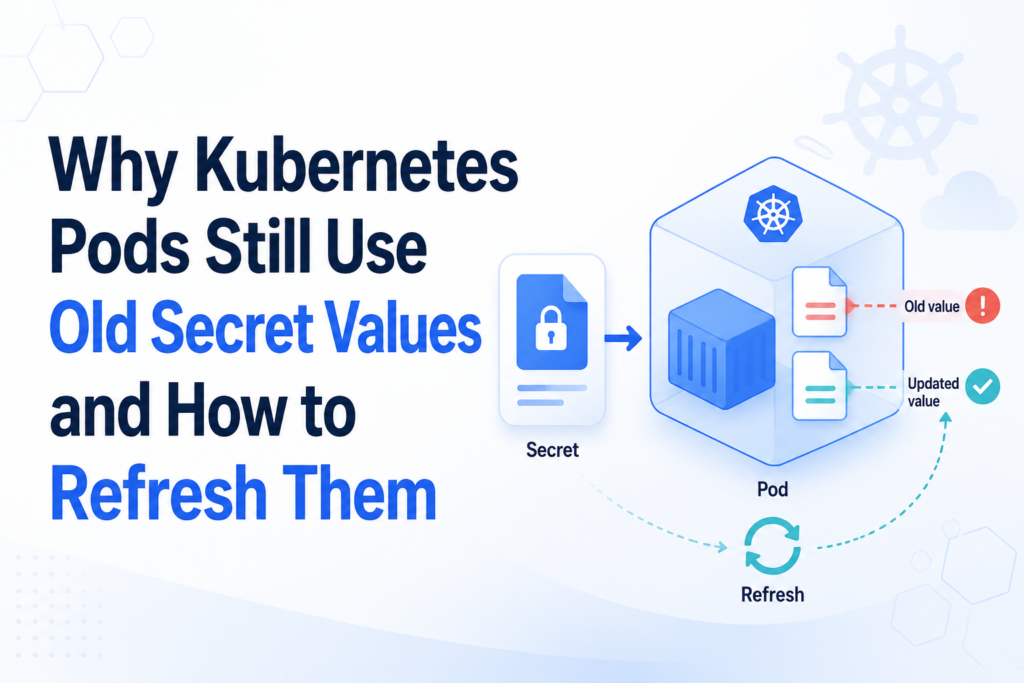

You rotate a database password, update the Kubernetes Secret, and confirm that the new value is present.
Five minutes later, your application is still authenticating with the old password.
This situation often sends engineers down the wrong path. They recreate the Secret, inspect kubelet logs, and wait for an update that may never reach the running process. When a Kubernetes secret is updated but the Pod still uses the old value, the problem is usually not the Secret itself. It is the way the Secret reaches—and is consumed by—the application.
Kubernetes supports several Secret-delivery methods, but they do not refresh in the same way. Environment variables remain fixed for the lifetime of a container. Normal Secret volume mounts can update eventually. Files mounted with subPath do not receive automatic updates. Even when Kubernetes refreshes a file correctly, the application may continue using a value cached in memory.
The key is to identify which layer is stale before choosing a fix.
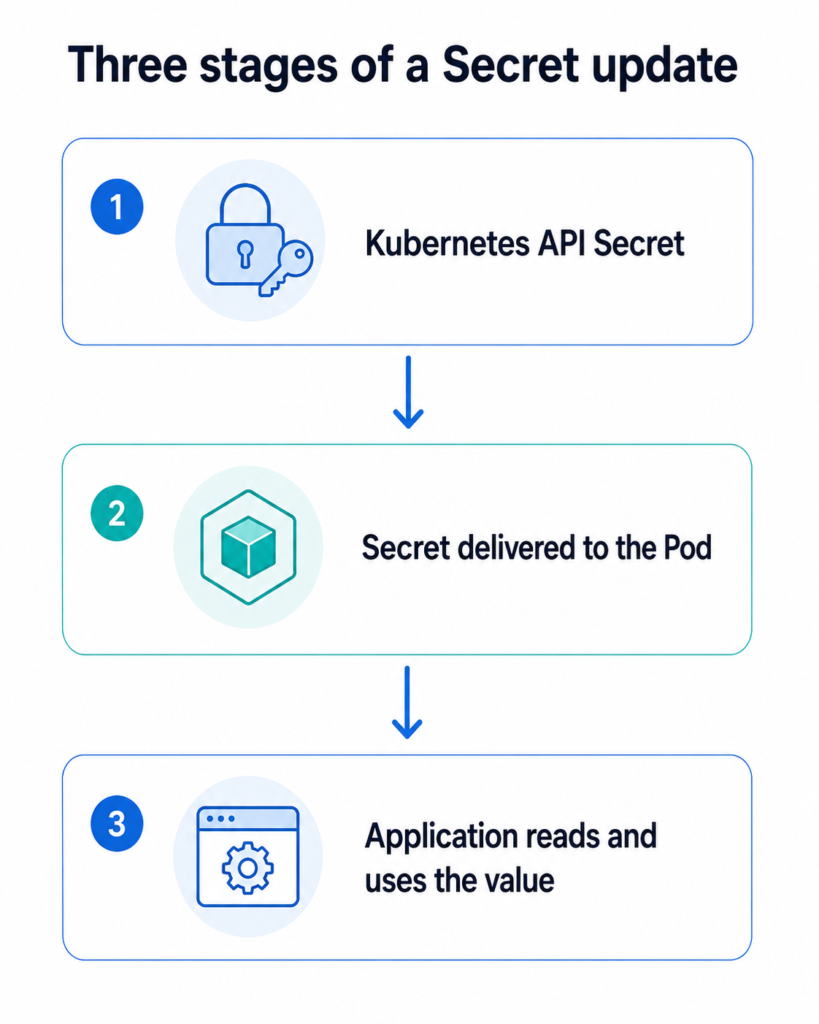
The Three Stages of a Kubernetes Secret Update
A Secret update travels through three distinct stages:
Kubernetes API Secret
          ↓
Secret delivered to the Pod
          ↓
Application reads and uses the value
Think of these as:
- Source: Does the Kubernetes API contain the new value?
- Delivery: Has the new value reached the container?
- Consumption: Has the application reloaded and started using it?
This distinction is more useful than asking whether “Kubernetes refreshed the Secret.” Kubernetes may have completed its part while the application continues using a cached credential.
For example:
- The Secret object may contain the new password.
- The mounted file may also contain the new password.
- The application’s database connection pool may still hold connections authenticated with the old password.
Restarting the Pod can solve all three stages at once, but it does not explain which stage failed. That matters when you want reliable, automated secret rotation rather than an emergency workaround.
First, Confirm That the Secret Was Actually Updated
Before troubleshooting the Pod, inspect the source object.
Suppose the Secret is named database-credentials and contains a key named password:
kubectl get secret database-credentials \
  -o jsonpath='{.data.password}' |
  base64 --decode
This prints the decoded value, so avoid running it in a shared terminal, CI log, or recorded support session.
A safer approach is to compare hashes:
kubectl get secret database-credentials \
  -o jsonpath='{.data.password}' |
  base64 --decode |
  sha256sum
You can also inspect metadata without revealing the Secret:
kubectl get secret database-credentials \
  -o custom-columns='NAME:.metadata.name,VERSION:.metadata.resourceVersion,UPDATED:.metadata.managedFields[-1].time'
If the API still contains the old value, the problem occurred before the Pod became involved. Check your GitOps controller, external secret synchronizer, Helm release, or Secret-generation command.
Also confirm that you updated the correct object:
kubectl get secret database-credentials \
  --namespace production
A surprisingly common failure is updating a Secret with the correct name in the wrong namespace.
How the Pod Consumes the Secret Determines the Refresh Behavior
The next step is to determine whether the Secret is injected as an environment variable, mounted as a volume, mounted with subPath, or copied into another location.
Inspect the Pod specification:
kubectl get pod <pod-name> -n production -o yaml
Look for env, envFrom, volumes, and volumeMounts.
The refresh behavior differs significantly:
| Secret consumption method | Does the running container receive updates? | Does the application reload automatically? | Pod restart usually required? |
|---|---|---|---|
env.valueFrom.secretKeyRef | No | No | Yes |
envFrom.secretRef | No | No | Yes |
| Normal Secret volume directory | Eventually | Not necessarily | Depends on application |
Secret volume using subPath | No | No | Yes |
| Init container copies Secret | No after startup | No | Yes |
| Sidecar copies and reloads Secret | Depends on implementation | Possibly | Usually no |
| Application retrieves Secret directly | Application-controlled | Application-controlled | Usually no |
This table explains why two Pods referencing the same Secret can behave differently after the Secret changes.
Cause 1: The Secret Is Injected as an Environment Variable
A common configuration looks like this:
env:
  - name: DATABASE_PASSWORD
    valueFrom:
      secretKeyRef:
        name: database-credentials
        key: password
Or it imports every Secret key:
envFrom:
  - secretRef:
      name: database-credentials
Kubernetes resolves these values when the container starts. Updating the Secret later does not rewrite the environment of an already-running process.
You can confirm what the current process received:
kubectl exec <pod-name> -n production -- \
  printenv DATABASE_PASSWORD
Be careful: this exposes the value in your terminal. For safer troubleshooting, calculate a hash inside the container:
kubectl exec <pod-name> -n production -- \
  sh -c 'printf %s "$DATABASE_PASSWORD" | sha256sum'
Compare it with the hash from the Kubernetes Secret.
How to refresh Secret environment variables
Recreate the Pods through their workload controller:
kubectl rollout restart deployment/payment-api \
  -n production
Then monitor the rollout:
kubectl rollout status deployment/payment-api \
  -n production
A container environment is established at process startup. There is no native Kubernetes mechanism that modifies an existing process environment in place.
For values that change frequently, environment variables are therefore a poor fit. A file-based delivery mechanism or direct integration with a secret manager is usually easier to rotate safely.
Cause 2: The Secret Volume Has Not Propagated Yet
When a Secret is mounted as a normal volume directory, Kubernetes can eventually update its files.
For example:
volumeMounts:
  - name: database-credentials
    mountPath: /var/run/secrets/database
    readOnly: true

volumes:
  - name: database-credentials
    secret:
      secretName: database-credentials
The application reads the password from:
/var/run/secrets/database/password
The kubelet periodically synchronizes mounted Secret content. The change is not guaranteed to appear immediately because propagation depends on kubelet synchronization and its change-detection strategy.
Check the mounted file without printing its content:
kubectl exec <pod-name> -n production -- \
  sha256sum /var/run/secrets/database/password
If the hash eventually matches the API value, Kubernetes delivery is working.
Do not use a fixed sleep as your rotation strategy
A script such as this is fragile:
kubectl apply -f secret.yaml
sleep 60
Propagation time can vary. A better rotation workflow verifies the mounted value or monitors application readiness before revoking the previous credential.
For critical systems, use a temporary overlap period:
- Create or activate the new credential.
- Update the Kubernetes Secret.
- Confirm that workloads received and loaded it.
- Revoke the old credential only after verification.
This avoids turning a small refresh delay into a production outage.
Cause 3: The Secret File Is Mounted with subPath
Teams often use subPath when they need to mount a single Secret file without hiding the rest of an application directory:
volumeMounts:
  - name: database-credentials
    mountPath: /app/config/database-password
    subPath: password
    readOnly: true
The initial mount works, but updates do not propagate to that file.
A subPath mount is tied to the specific file resolved when the container is created. When Kubernetes later refreshes the underlying Secret volume, the existing bind mount does not follow the replacement.
Waiting longer will not fix it.
Restart the workload:
kubectl rollout restart deployment/payment-api \
  -n production
The new Pods resolve the mount against the latest Secret value.
For a deeper explanation, refer Kubernetes Secret Not Updating with subPath: Causes, Fixes, and Safer Alternatives.
Better design
Mount the entire Secret into a dedicated directory:
volumeMounts:
  - name: database-credentials
    mountPath: /var/run/secrets/database
    readOnly: true
Then configure the application to read:
/var/run/secrets/database/password
Avoid mounting the Secret over an existing application configuration directory because the volume will hide files already present there.
Cause 4: Kubernetes Updated the File, but the Application Cached the Value
This is the most overlooked scenario.
Suppose these hashes match:
kubectl get secret database-credentials \
  -o jsonpath='{.data.password}' |
  base64 --decode |
  sha256sum
kubectl exec <pod-name> -- \
  sha256sum /var/run/secrets/database/password
Kubernetes has delivered the update correctly. If the service still uses the old credential, the application has probably cached it.
Applications commonly read secrets:
- Once during process startup.
- When creating a database connection pool.
- During framework configuration initialization.
- When establishing a long-lived TLS or API session.
- When a worker process is forked.
Updating a file does not force a process to reread it.
Application-level refresh options
Depending on the application, you may be able to:
- Send
SIGHUP. - Call an administrative reload endpoint.
- Restart worker processes.
- Rebuild a database connection pool.
- Watch the file for changes.
- Load credentials before each new connection.
A file watcher should monitor the mounted path or its parent directory carefully. Kubernetes may replace files atomically rather than modifying the original file in place. Watching only a single inode can therefore miss the change.
A practical pattern is to watch the parent directory, detect replacement events, validate the new content, and then trigger a controlled reload.
Cause 5: An Init Container Copied the Secret
Some Pods use an init container to combine configuration files:
initContainers:
  - name: prepare-config
    image: busybox:1.36
    command:
      - sh
      - -c
      - cp /secret/password /work/database-password
The application then reads the copied file from an emptyDir.
This copy is only created before the application containers start. Updating the original Secret does not rerun the init container and does not refresh the copy.
The Pod must be recreated:
kubectl rollout restart deployment/payment-api
A synchronization sidecar can keep the copy updated, but it adds several responsibilities:
- Detecting source changes.
- Writing files atomically.
- Preserving permissions.
- Handling sidecar failures.
- Reloading the application.
- Preventing secret values from entering logs.
Use a sidecar only when the application cannot consume the native mounted directory and cannot be changed easily.
Cause 6: The Wrong Secret, Namespace, Key, or Pod Is Being Checked
Not every stale-value incident is a refresh problem.
Verify the complete reference chain.
Check the namespace
kubectl get pod <pod-name> \
  -n production \
  -o jsonpath='{.metadata.namespace}'
A Pod can normally reference only Secrets in its own namespace.
Check the Secret name and key
kubectl get deployment payment-api \
  -n production \
  -o yaml
Look for:
secretKeyRef:
  name: database-credentials
  key: password
A similarly named Secret such as database-credential or database-credentials-v2 may be the object actually used by the workload.
Check every replica
During a rollout, old and new Pods can coexist:
kubectl get pods \
  -n production \
  -l app=payment-api \
  -o wide
One replica may have restarted with the new value while another continues serving traffic with the old one.
This creates intermittent failures that look like random credential or networking issues.
How to Refresh Kubernetes Pods Safely
Option 1: Restart a Deployment
For a Deployment:
kubectl rollout restart deployment/payment-api \
  -n production
A rolling update replaces Pods gradually, subject to the Deployment strategy.
Check progress:
kubectl rollout status deployment/payment-api \
  -n production
Before restarting a production service, verify that it has:
- More than one replica where availability requires it.
- A reliable readiness probe.
- Sufficient cluster capacity for replacement Pods.
- A suitable
maxUnavailableandmaxSurgepolicy. - A PodDisruptionBudget where appropriate.
Option 2: Delete an individual Pod
For a controller-managed Pod:
kubectl delete pod <pod-name> -n production
The controller creates a replacement.
This is useful for testing one replica, but it is not the best routine rotation workflow. A controlled workload rollout is easier to observe and audit.
Do not delete a standalone Pod unless you are prepared to recreate it manually.
Option 3: Change the Pod-template annotation
A Deployment creates new Pods only when its Pod template changes. You can trigger a rollout declaratively by changing an annotation:
kubectl patch deployment payment-api \
  -n production \
  -p "{\"spec\":{\"template\":{\"metadata\":{\"annotations\":{\"secret-refresh\":\"$(date +%s)\"}}}}}"
This is helpful in deployment pipelines because the refresh becomes part of the workload’s desired state.
Option 4: Use a Secret checksum
Helm charts frequently calculate a checksum and add it to the Pod template:
spec:
  template:
    metadata:
      annotations:
        checksum/database-secret: {{ include (print $.Template.BasePath "/secret.yaml") | sha256sum }}
When the rendered Secret changes, the checksum changes. That modifies the Pod template and triggers a rollout.
This pattern works well when Helm manages both the Secret and the workload. It may not detect changes made independently by an external secret controller.
Option 5: Use a restart controller
A controller can watch Secrets or ConfigMaps and restart dependent workloads after changes.
This removes the manual step but should be configured carefully. A noisy external secret provider or frequently changing value could trigger excessive rollouts.
Apply least-privilege RBAC and limit the controller to the namespaces and workloads it must manage.
A Fast Diagnostic Workflow
Use this sequence whenever a Secret appears stale.
Step 1: Confirm the source
kubectl get secret <secret-name> -n <namespace>
Compare the expected key using hashes rather than printing plaintext.
Step 2: Identify the consumption method
Inspect the Pod:
kubectl get pod <pod-name> -n <namespace> -o yaml
Determine whether the Secret uses:
envenvFrom- A full volume mount
subPath- An init container
- A CSI volume
- Another synchronization mechanism
Step 3: Compare the delivered value
For a file:
kubectl exec <pod-name> -n <namespace> -- \
  sha256sum /path/to/secret
For an environment variable:
kubectl exec <pod-name> -n <namespace> -- \
  sh -c 'printf %s "$SECRET_VARIABLE" | sha256sum'
Step 4: Test application reload behavior
If the file is current but the service is stale, investigate application caching and connection reuse.
Step 5: Restart only when required
Restart environment-variable consumers, subPath mounts, init-container copies, and applications that cannot reload credentials dynamically.
Recommended Production Strategy
The safest design depends on how often the credential changes.
| Rotation requirement | Recommended approach |
| Rare manual rotation | Environment variable plus automated rolling restart |
| Occasional file-based rotation | Full Secret directory plus application reload |
| External secret manager | CSI driver or synchronization operator with a defined reload strategy |
| Short-lived credentials | Application-level retrieval or identity-based authentication |
| Legacy fixed file path | Full mount plus sidecar or controlled rollout |
Single file mounted with subPath | Redesign the mount or restart Pods after every change |
For most file-based workloads, a practical design is:
- Mount the complete Secret in a dedicated directory.
- Make the application watch or periodically reread the file.
- Validate new credentials before discarding the old ones.
- Retain rolling restart as a fallback.
- Monitor the age or version of the credential in use.
- Avoid exposing secret content in logs and metrics.
The monitoring point deserves more attention than it usually receives. A rotation pipeline can report success because the Secret object changed, even though half the Pods still use the previous value.
Instead of exposing the credential, publish safe metadata such as:
- Secret version identifier.
- Credential creation timestamp.
- Hash prefix that cannot reveal the original value.
- Last successful reload time.
- Reload failure count.
This turns secret rotation from a hopeful deployment step into an observable process.
Security Considerations During Troubleshooting
Secret debugging can accidentally expose the very value you are trying to protect.
Avoid:
- Printing decoded production Secrets in CI output.
- Copying Secret values into tickets or chat.
- Enabling shell tracing around secret commands.
- Logging environment variables.
- Storing temporary decoded files without restrictive permissions.
- Giving broad Secret-read permissions to restart automation.
Use hashes for comparison and review the Kubernetes guidance on good practices for Secrets.
Also remember that base64 encoding is not encryption. Limit Secret access with RBAC, enable encryption at rest, and prefer short-lived or identity-based credentials when your platform supports them.
Final Thoughts
When a Kubernetes secret is updated but the Pod still uses the old value, begin by locating the stale layer.
The API object may still be wrong. The running container may have an unchangeable environment variable. A subPath mount may be pinned to the old file. An init container may have copied the value only once. Or Kubernetes may have updated the file perfectly while the application continues using a cached credential.
The immediate fix is often a rolling restart:
kubectl rollout restart deployment/<deployment-name>
The long-term fix is to design an explicit refresh path.
Choose how the Secret should reach the workload, decide how the application will reload it, automate restarts where reloads are impossible, and verify that every replica has adopted the new credential before revoking the old one.
That is the difference between merely updating a Secret object and completing a safe secret rotation.
Have you dealt with a Pod that continued using stale credentials after a Secret update? Share the consumption method and the fix that worked for you in the comments. Then explore our guide to Kubernetes Secret subPath update failures for a deeper look at one of the most common causes.
For more practical Kubernetes, Linux, DevOps, and SRE troubleshooting guides, subscribe to Codefy and follow the next tutorial.