
You upgrade a cluster, run a familiar command, and suddenly Kubernetes warns you:
Warning: v1 Endpoints is deprecated in v1.33+; use discovery.k8s.io/v1 EndpointSlice
Nothing may be broken yet. Your Services still work. kube-proxy still routes traffic. Your old scripts may still print backend Pod IPs.
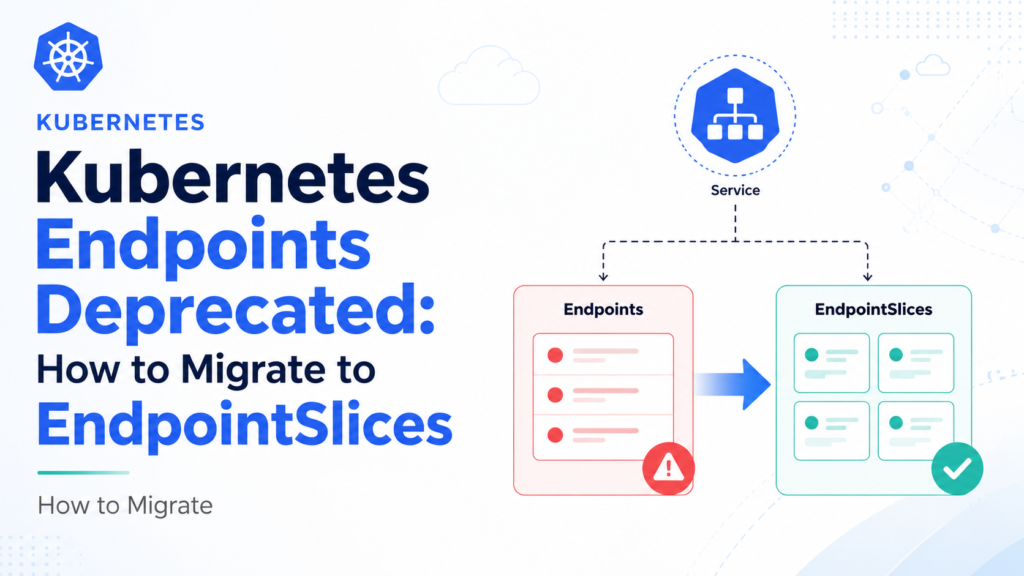
But the message is clear: it is time to migrate Kubernetes Endpoints to EndpointSlices.
The legacy Endpoints API served Kubernetes well for years, but it was designed for a simpler world: mostly IPv4 clusters, smaller Services, and one object per Service. Modern clusters need better scalability, dual-stack support, richer endpoint conditions, and more efficient updates during Pod churn.
That is exactly why EndpointSlices exist.
This guide explains why Endpoints were deprecated, how EndpointSlices work, what changes during migration, and how to update your YAML, scripts, controllers, and troubleshooting habits without accidentally breaking Service discovery.
Why Kubernetes Endpoints Were Deprecated
A Kubernetes Service gives clients a stable network identity while Pods behind it come and go.
The old model looked simple:
Service: my-app
        ↓
Endpoints: my-app
        ↓
10.244.1.10:8080
10.244.2.15:8080
10.244.3.20:8080
Every selector-based Service had one matching Endpoints object with the same name.
That simplicity was convenient, but it became a scalability problem.
Imagine a Service with hundreds or thousands of backend Pods. Every Pod rollout, readiness change, node drain, or autoscaling event could require updating a large single Endpoints object. Watchers then had to receive and process that large object repeatedly.
EndpointSlices solve this by splitting endpoint data into smaller objects.
Instead of one large object, Kubernetes can create several slices:
Service: my-app
        ↓
EndpointSlice: my-app-abc12
EndpointSlice: my-app-def34
EndpointSlice: my-app-ghi56
Each slice contains a subset of endpoints.
Kubernetes officially deprecated the Endpoints API in v1.33. The API still exists for compatibility, but it now produces warnings when users read or write Endpoints resources in newer clusters. The Kubernetes project has also made it clear that modern Service features such as dual-stack networking and traffic distribution are supported through EndpointSlices rather than the legacy Endpoints API.
The message is not “your Services are broken today.”
The message is:
Stop building new automation on
v1 Endpoints. Move your consumers and custom producers todiscovery.k8s.io/v1 EndpointSlice.
Endpoints vs EndpointSlices: What Actually Changed?
The biggest migration mistake is assuming EndpointSlices are just Endpoints with a new API version.
They are not.
| Feature | Endpoints | EndpointSlices |
|---|---|---|
| API group | core/v1 | discovery.k8s.io/v1 |
| Object mapping | Usually one object per Service | One or more objects per Service |
| Default scaling behavior | One large object | Split into smaller slices |
| Dual-stack support | Limited | Native IPv4 and IPv6 address types |
| Readiness model | Separate ready and not-ready lists | Per-endpoint conditions |
| Lookup pattern | Get object by Service name | List slices by Service label |
| Modern Service features | Incomplete | Preferred source of endpoint data |
| Status | Deprecated in v1.33+ | Stable since v1.21 |
The most important operational change is this:
Old mental model:
Get Endpoints named <service-name>

New mental model:
List all EndpointSlices labelled kubernetes.io/service-name=<service-name>
That one difference affects shell scripts, monitoring jobs, custom controllers, service discovery code, and debugging commands.
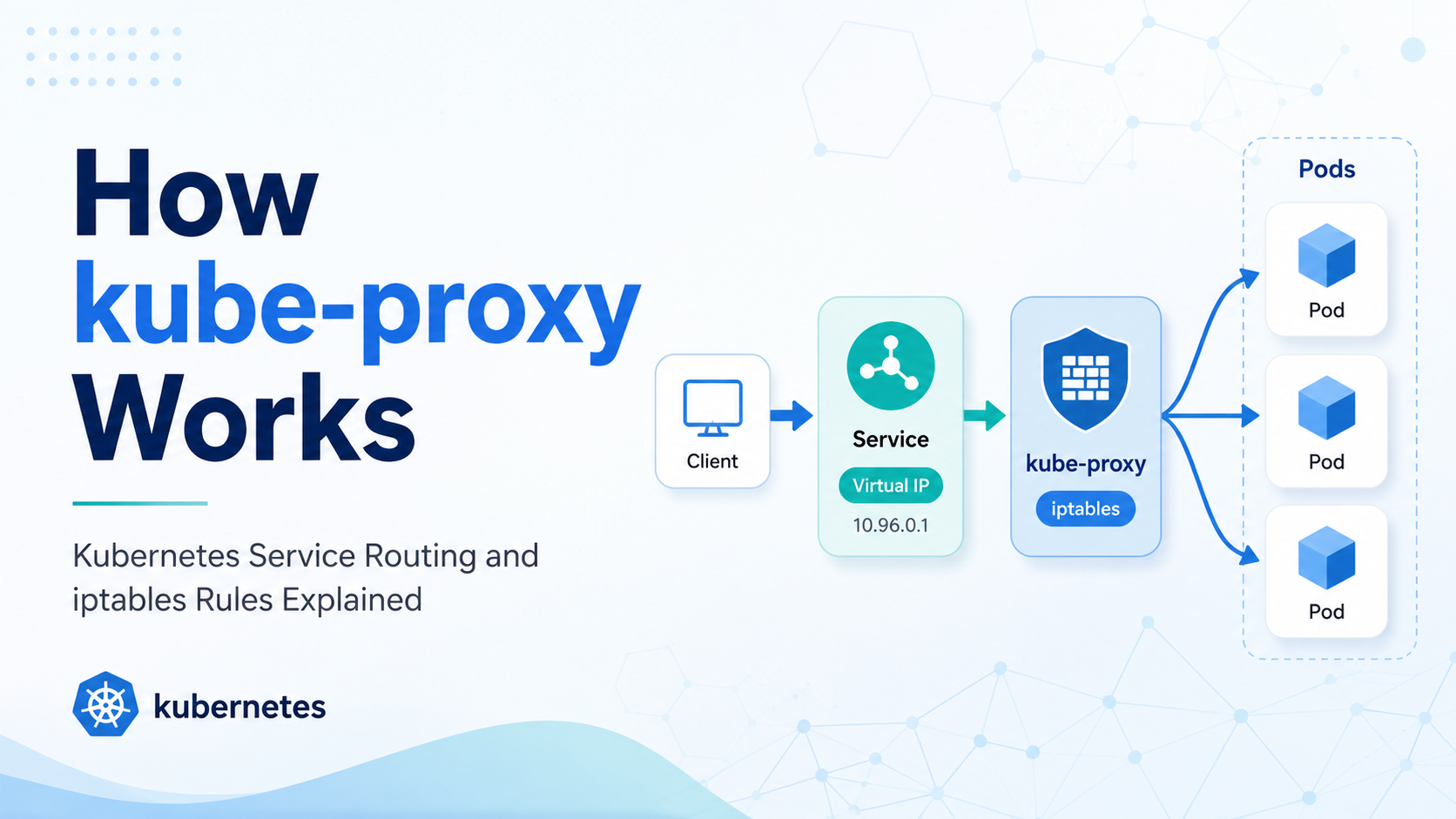
How EndpointSlices Work
An EndpointSlice is a Kubernetes object that contains a group of network endpoints.
For a normal selector-based Service, the EndpointSlice controller automatically creates and manages EndpointSlices. You do not manually create slices for typical Deployments.
Example Service:
apiVersion: v1
kind: Service
metadata:
  name: payment-api
spec:
  selector:
    app: payment-api
  ports:
    - name: http
      port: 80
      targetPort: 8080
If matching Pods are ready, Kubernetes creates EndpointSlices similar to:
apiVersion: discovery.k8s.io/v1
kind: EndpointSlice
metadata:
  name: payment-api-abc12
  labels:
    kubernetes.io/service-name: payment-api
addressType: IPv4
ports:
  - name: http
    protocol: TCP
    port: 8080
endpoints:
  - addresses:
      - 10.244.1.10
    conditions:
      ready: true
    targetRef:
      kind: Pod
      name: payment-api-7cfd9d8d96-x4j2p
      namespace: default
  - addresses:
      - 10.244.2.15
    conditions:
      ready: true
    targetRef:
      kind: Pod
      name: payment-api-7cfd9d8d96-p8z9k
      namespace: default
Notice a few details:
- The API group is
discovery.k8s.io/v1. - The object is associated with the Service through the
kubernetes.io/service-namelabel. addressTypeis explicit:IPv4,IPv6, or deprecatedFQDN.- Each endpoint has its own conditions.
- Each endpoint usually has one address in the
addressesarray. - A Service may have multiple EndpointSlices.
By default, Kubernetes keeps slices relatively small. The control plane commonly manages EndpointSlices with no more than 100 endpoints each, configurable by the controller manager up to a maximum of 1000.
That means your migration code must aggregate multiple slices and deduplicate endpoints.
Why Your Old kubectl get endpoints Workflow Needs to Change
Many engineers use this command when debugging a Service:
kubectl get endpoints payment-api
After migration, prefer:
kubectl get endpointslices \
  -l kubernetes.io/service-name=payment-api
To see more detail:
kubectl get endpointslices \
  -l kubernetes.io/service-name=payment-api \
  -o yaml
A compact view:
kubectl get endpointslices \
  -l kubernetes.io/service-name=payment-api \
  -o wide
For all EndpointSlices in a namespace:
kubectl get endpointslices
For all namespaces:
kubectl get endpointslices -A
This change matters because EndpointSlice names are generated. You should not hardcode them.
This is wrong:
kubectl get endpointslice payment-api
There may be no EndpointSlice with that exact name.
This is correct:
kubectl get endpointslice \
  -l kubernetes.io/service-name=payment-api
That label selector is the new entry point.
Migration Path 1: Update Human Troubleshooting Commands
Start with the easy win: update runbooks, documentation, and incident commands.
Old command
kubectl get endpoints <service-name>
New command
kubectl get endpointslices \
  -l kubernetes.io/service-name=<service-name>
Old JSONPath example
kubectl get endpoints payment-api \
  -o jsonpath='{.subsets[*].addresses[*].ip}'
New JSONPath example
kubectl get endpointslices \
  -l kubernetes.io/service-name=payment-api \
  -o jsonpath='{range .items[*].endpoints[*]}{.addresses[*]}{"\n"}{end}'
To include readiness:
kubectl get endpointslices \
  -l kubernetes.io/service-name=payment-api \
  -o jsonpath='{range .items[*].endpoints[*]}{.addresses[*]}{" ready="}{.conditions.ready}{"\n"}{end}'
To include ports:
kubectl get endpointslices \
  -l kubernetes.io/service-name=payment-api \
  -o jsonpath='{range .items[*]}{.metadata.name}{" ports="}{.ports[*].port}{"\n"}{end}'
This is often the first place migration debt shows up: old debugging snippets pasted into Slack, wiki pages, and postmortem templates.
Fix those early.
Migration Path 2: Update Scripts That Read Endpoints
Many teams have shell scripts that do something like:
kubectl get endpoints my-service -o json
Then parse:
.subsets[].addresses[].ip
.subsets[].ports[].port
That approach breaks conceptually with EndpointSlices because there can be multiple slice objects, each with its own ports and endpoint conditions.
A safer script should:
- List all EndpointSlices for a Service.
- Iterate through every slice.
- Read the slice-level ports.
- Iterate through endpoints.
- Filter by
conditions.ready. - Deduplicate addresses.
- Handle IPv4 and IPv6 separately if needed.
Example using jq:
kubectl get endpointslices \
  -l kubernetes.io/service-name=payment-api \
  -o json |
jq -r '
  .items[] as $slice |
  $slice.ports[] as $port |
  $slice.endpoints[] |
  select(.conditions.ready != false) |
  .addresses[] as $addr |
  "\($addr):\($port.port)"
'
This intentionally treats missing ready as not false. Depending on your use case, you may want stricter filtering.
For production automation, avoid fragile one-liners. Write a small client that understands the EndpointSlice structure properly.
Migration Path 3: Update Controllers and Operators
If you maintain a controller, operator, service mesh component, monitoring agent, or custom load balancer, migration is more important.
Old Go client pattern
endpoint, err := clientset.CoreV1().
    Endpoints(namespace).
    Get(ctx, serviceName, metav1.GetOptions{})
That assumes one object with the same name as the Service.
New Go client pattern
slices, err := clientset.DiscoveryV1().
    EndpointSlices(namespace).
    List(ctx, metav1.ListOptions{
        LabelSelector: "kubernetes.io/service-name=" + serviceName,
    })
Then your controller must build its own endpoint view from all returned slices.
Key changes to implement:
- Watch
discovery.k8s.io/v1 EndpointSlice. - List by
kubernetes.io/service-name. - Treat multiple slices as one logical backend set.
- Deduplicate endpoints.
- Respect
conditions.ready, and optionallyservingandterminating. - Handle IPv4 and IPv6 explicitly.
- Do not assume one port applies globally across all slices.
- Use informers or shared caches rather than polling.
- Update RBAC permissions.
RBAC migration
Old RBAC:
apiGroups: [""]
resources: ["endpoints"]
verbs: ["get", "list", "watch"]
New RBAC:
apiGroups: ["discovery.k8s.io"]
resources: ["endpointslices"]
verbs: ["get", "list", "watch"]
During transition, some controllers may need both until all code paths are migrated.
Migration Path 4: Replace Manually Created Endpoints
Most Services do not require you to create endpoint objects manually. Kubernetes does it for selector-based Services.
But selectorless Services are different.
A selectorless Service may look like this:
apiVersion: v1
kind: Service
metadata:
  name: external-db
spec:
  ports:
    - name: postgres
      port: 5432
      targetPort: 5432
Historically, you might create a matching Endpoints object:
apiVersion: v1
kind: Endpoints
metadata:
  name: external-db
subsets:
  - addresses:
      - ip: 10.10.20.5
    ports:
      - name: postgres
        port: 5432
The EndpointSlice-native version is:
apiVersion: discovery.k8s.io/v1
kind: EndpointSlice
metadata:
  name: external-db-1
  labels:
    kubernetes.io/service-name: external-db
addressType: IPv4
ports:
  - name: postgres
    protocol: TCP
    port: 5432
endpoints:
  - addresses:
      - 10.10.20.5
    conditions:
      ready: true
The label is not optional. It is how Kubernetes and clients associate the slice with the Service.
For multiple external backends:
apiVersion: discovery.k8s.io/v1
kind: EndpointSlice
metadata:
  name: external-db-1
  labels:
    kubernetes.io/service-name: external-db
addressType: IPv4
ports:
  - name: postgres
    protocol: TCP
    port: 5432
endpoints:
  - addresses:
      - 10.10.20.5
    conditions:
      ready: true
  - addresses:
      - 10.10.20.6
    conditions:
      ready: true
If you use GitOps, migrate these manifests directly rather than relying on Endpoints-to-EndpointSlice mirroring.
EndpointSlices and Services Without Selectors
Selectorless Services are where migration becomes more than a read-path change.
For normal Services with selectors, Kubernetes creates EndpointSlices automatically. For selectorless Services, you are responsible for supplying endpoint data.
Use this checklist:
| Requirement | What to check |
| Service exists | EndpointSlice mirroring will not help if the Service is missing |
| Label present | kubernetes.io/service-name: <service-name> |
| Port names match | EndpointSlice port name should match the Service port name |
| Address type correct | Use IPv4 or IPv6 |
| Endpoint IP valid | Do not use loopback or invalid addresses |
| Readiness set intentionally | Use endpoint conditions clearly |
| Ownership documented | Decide whether humans, GitOps, or a controller manages the slice |
A practical naming pattern is:
<service-name>-manual-1
For example:
external-db-manual-1
Do not use names that look controller-generated unless a controller actually owns them.
Common Migration Mistakes
Mistake 1: Assuming one EndpointSlice per Service
A Service can have multiple EndpointSlices because of scale, dual-stack networking, different ports, or rollout state.
Always aggregate all matching slices.
Mistake 2: Hardcoding EndpointSlice names
EndpointSlice names are not predictable for controller-managed Services.
Always list by:
kubernetes.io/service-name=<service-name>
Mistake 3: Ignoring readiness conditions
The old Endpoints API separated ready and not-ready addresses. EndpointSlices use conditions on each endpoint.
Do not treat every address as routable without checking conditions.
Mistake 4: Forgetting RBAC
A controller that can read endpoints cannot automatically read endpointslices.
Add permissions for:
apiGroups: ["discovery.k8s.io"]
resources: ["endpointslices"]
Mistake 5: Breaking dual-stack behavior
EndpointSlices are grouped by address type. IPv4 and IPv6 endpoints may live in separate slices.
Do not flatten them blindly unless your application supports both.
Mistake 6: Relying on deprecated mirroring
Kubernetes has supported mirroring some manually created Endpoints into EndpointSlices for compatibility, but that path is also deprecated. Treat mirroring as a bridge, not a destination.
How to Audit a Cluster for Endpoints Usage
Start by finding direct Endpoints reads in human workflows:
kubectl get endpoints -A
On Kubernetes v1.33+, this may show deprecation warnings.
Then search manifests and repositories:
grep -R "kind: Endpoints" .
grep -R "apiVersion: v1" . | grep Endpoints
grep -R "endpoints" ./charts ./manifests ./scripts
Search code for Kubernetes client calls:
grep -R "CoreV1().Endpoints" .
grep -R "Endpoints(" .
grep -R "endpointslices" .
Check RBAC:
kubectl get clusterrole,role -A -o yaml | grep -i endpoints
Look for monitoring tools, service discovery agents, operators, and custom controllers that watch Endpoints.
For a controlled migration, classify usage into three buckets:
| Usage type | Example | Migration priority |
| Human debugging | kubectl get endpoints in runbooks | Medium |
| Read-only automation | scripts, dashboards, service discovery | High |
| Write-path manifests | manually created Endpoints | Highest |
Write-path usage deserves attention first because it can affect actual Service routing.
Testing the Migration Safely
Do not migrate blindly in production.
Use a staging cluster or a non-critical namespace and test:
- A normal selector-based Service.
- A selectorless Service with manually created EndpointSlices.
- A Service with multiple backend Pods.
- A rollout where Pods change readiness.
- Dual-stack behavior if your cluster supports it.
- Your controller or script restart behavior.
- RBAC restrictions.
- Failure handling when no EndpointSlices exist yet.
Useful test commands:
kubectl get svc payment-api
kubectl get endpointslices -l kubernetes.io/service-name=payment-api -o wide
kubectl describe endpointslice -l kubernetes.io/service-name=payment-api
Test Service traffic:
kubectl run tmp-shell \
  --rm -it \
  --image=busybox:1.36 \
  -- wget -qO- http://payment-api
If traffic works but your script fails, the Service data plane is fine. Your migration logic is wrong.
That distinction helps avoid blaming kube-proxy, CoreDNS, or the CNI plugin for a client-side parsing issue.
Practical Migration Plan
Here is a simple migration plan for teams.
Phase 1: Inventory
Find every place that reads or writes Endpoints:
- Helm charts
- Kustomize overlays
- CI scripts
- Operators
- Controllers
- Admission webhooks
- Monitoring jobs
- Runbooks
- Dashboards
- Legacy service discovery tools
Phase 2: Update read paths
Replace:
kubectl get endpoints <service>
with:
kubectl get endpointslices \
  -l kubernetes.io/service-name=<service>
Update code to list and watch EndpointSlices instead of fetching one Endpoints object.
Phase 3: Update write paths
Replace manually created Endpoints objects with EndpointSlice objects.
For selectorless Services, ensure:
- The Service exists.
- The slice has the correct service-name label.
- Ports match the Service.
- Address type is correct.
- Endpoint conditions are intentional.
Phase 4: Update RBAC
Add EndpointSlice permissions.
For example:
apiVersion: rbac.authorization.k8s.io/v1
kind: Role
metadata:
  name: endpoint-reader
rules:
  - apiGroups: ["discovery.k8s.io"]
    resources: ["endpointslices"]
    verbs: ["get", "list", "watch"]
Keep old endpoints permissions temporarily only if the workload still needs them.
Phase 5: Test with deprecation warnings treated seriously
In CI, watch for warnings involving:
v1 Endpoints is deprecated
Do not ignore them as harmless noise. They are telling you exactly where migration work remains.
Conclusion
The deprecation of Kubernetes Endpoints is not just an API cleanup. It is part of a bigger shift toward scalable, modern Service discovery.
The old Endpoints API gave you one object per Service. That was easy to understand, but it did not scale cleanly and could not represent newer Service features well.
EndpointSlices fix that by splitting endpoint data into smaller objects, supporting dual-stack clusters, representing endpoint conditions more cleanly, and giving kube-proxy and other controllers a better source of truth.
To migrate Kubernetes Endpoints to EndpointSlices, focus on three areas:
- Replace old troubleshooting commands.
- Update scripts and controllers to list all EndpointSlices by label.
- Convert manually created Endpoints into proper EndpointSlice manifests.
The most important habit is simple:
kubectl get endpointslices \
  -l kubernetes.io/service-name=<service-name>
Once that becomes your default mental model, the migration starts to feel much less intimidating.
Have you already seen Endpoints deprecation warnings in your cluster? Share what still depends on v1 Endpoints in the comments. For more practical Kubernetes networking, troubleshooting, and migration guides, subscribe to Codefy and explore the related tutorials.